21/10/2026 21:17
Which Zipper Photo Is Missing? Telegram Quick Replies for Cambodian Backpack Repair Shops

A backpack repair post can show excellent workmanship and still produce difficult enquiries. Someone sends a distant photograph and asks for a price. Another person describes a broken zip without showing whether the teeth, slider or surrounding fabric are damaged. For a Cambodian workshop balancing counter customers with Telegram messages, repeatedly explaining what to photograph takes attention away from repairs. A small library of carefully written quick replies can make those conversations easier. The useful goal is to collect enough information for the next decision while leaving diagnosis, pricing and availability with the person responsible for the work.
Start with the question your promotion creates
In a hypothetical Phnom Penh backpack repair shop, a public demonstration shows a technician replacing a zipper slider. The accompanying post invites viewers to message the shop about similar problems. Customers may reasonably assume their own bag needs the same treatment, even when their zipper tape is torn. Before promoting that demonstration, prepare an enquiry response that explains what the shop needs to see.
Write down the decision the first exchange should support: can the workshop assess the request from photographs, or should the customer bring the bag for inspection? This gives the reply a clear purpose. Avoid turning the opening message into a full catalogue of repairs, delivery arrangements and payment instructions. Those details become useful later. At this stage, the customer needs a manageable request and an honest explanation of what happens after they respond.
Understand what Telegram quick replies provide
Telegram describes quick replies as shortcuts for preset messages, including sequences containing media, files and links. Typing a slash in the message field opens the available replies. They work in private chats rather than groups. Telegram places its business features under Settings > Telegram Business; check the access conditions shown in your account before planning around them. These capabilities are documented in Telegram’s official introduction: [Introducing Telegram Business](https://telegram.org/blog/telegram-business).
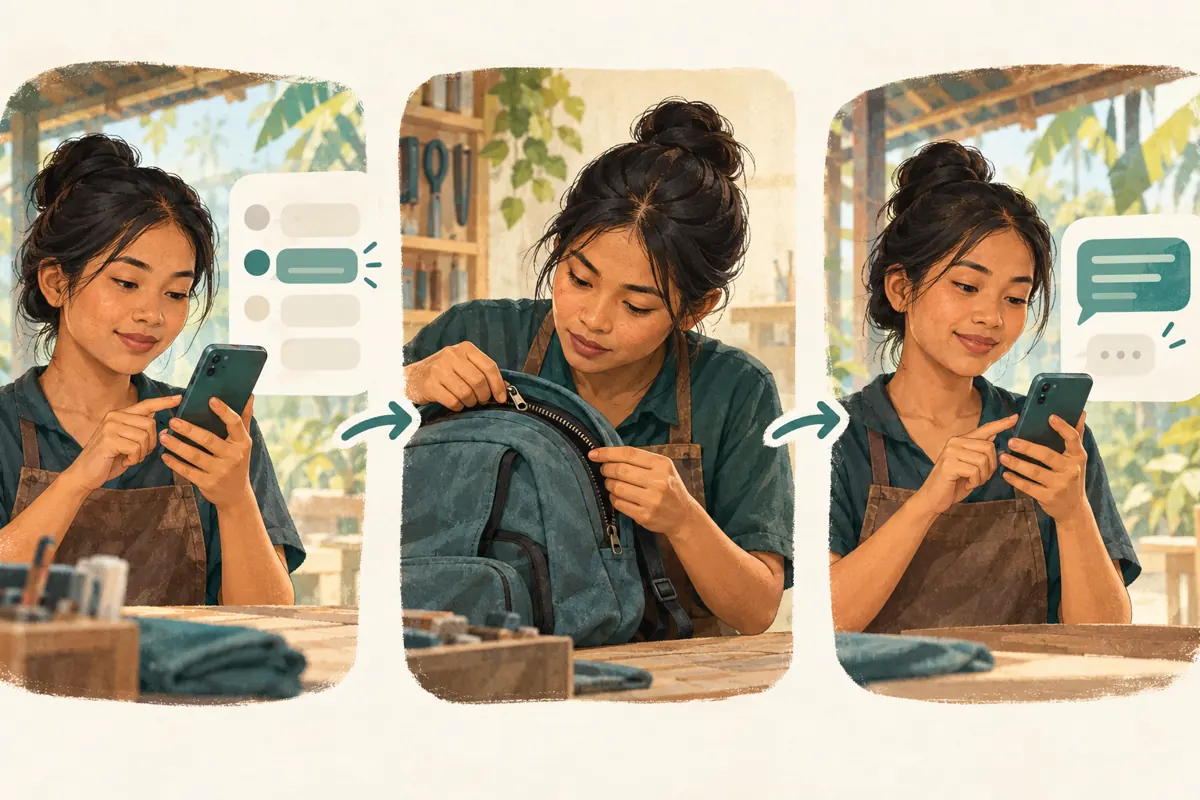
For this workshop workflow, treat the feature as a reusable writing aid. A staff member reads the conversation, chooses an appropriate response and checks its meaning before sending. The recommendations below are an editorial operating method, not a claim that Telegram diagnoses repairs or manages bookings. Begin with one photo-request reply and test it with a colleague. Add more only when a recurring customer question justifies another shortcut.
Request three views with a clear reason for each
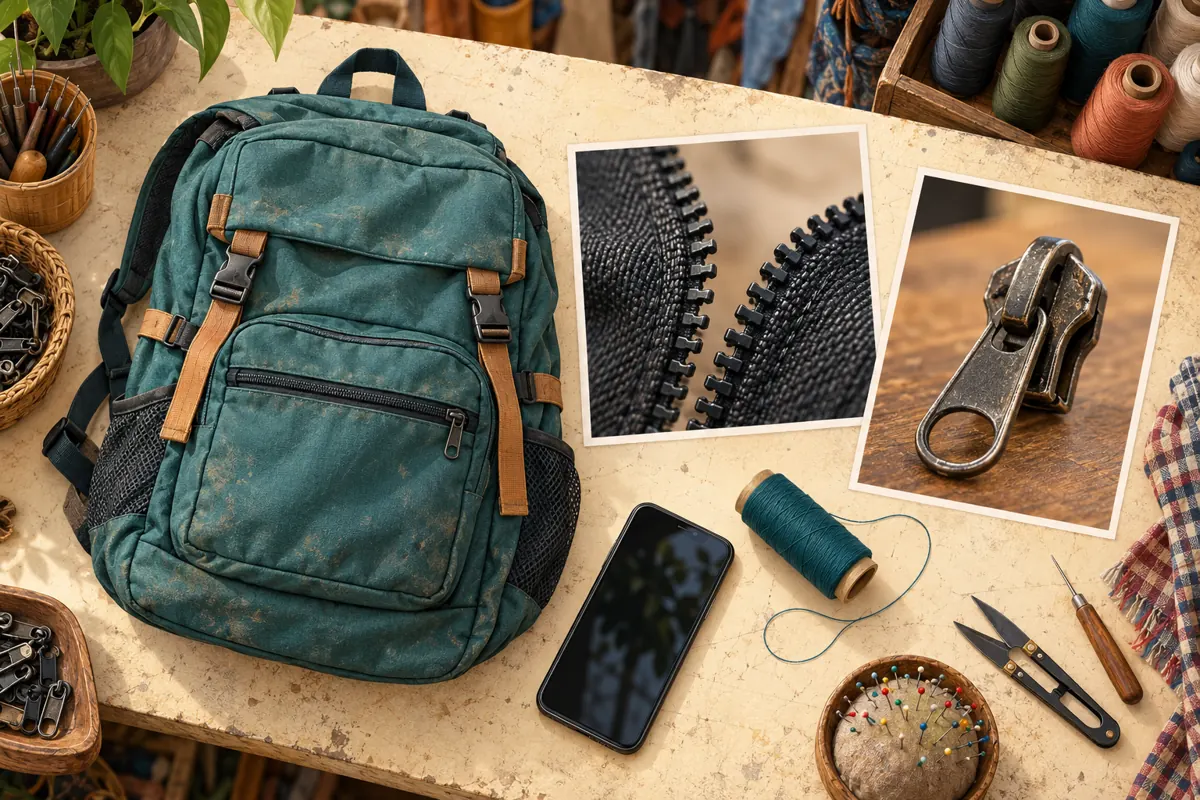
A useful starting request asks for the whole backpack, the affected zipper section and a close view of the slider. The whole bag establishes which opening is involved. The affected section shows the visible problem in context. The slider view gives the technician another detail to inspect. These photographs support an assessment; they do not guarantee that every fault can be identified remotely.
A hypothetical draft could read: Please send a photo of the whole backpack, a closer photo of the zipper problem and a clear photo of the slider. Tell us whether it gets stuck, separates after closing or has missing parts. We will review the photos and explain the next step. Ask customers to use good light and remove personal belongings from view. If they have already supplied two useful images, request only the missing one in a personal response.
Build a small library around decisions
Use shortcut names that describe the reply’s purpose. Suggested internal names include bagphotos, closerphoto, inspection and collectioninfo. These are proposed labels for your own library, not Telegram defaults. Keep an accompanying staff note explaining when each response is appropriate. The inspection reply belongs after a technician decides that photographs are insufficient; it should not become the automatic answer to every question.
Separate stable information from details that change daily. The explanation of useful photo angles may remain valid for months. Available parts, completion dates and collection arrangements can change during a shift. Keep those variable commitments out of the general reply unless someone actively maintains them. A short library that staff understand is easier to use accurately than dozens of near-identical messages with unclear names. Remove obsolete versions instead of leaving workers to guess which wording is current.
Keep language and sample images easy to follow
Prepare customer-facing wording in the languages your staff can reliably support. For Khmer-speaking customers, have a fluent colleague review the meaning of repair terms rather than translating isolated component names mechanically. Staff should be able to explain a slider through a photograph when a customer does not recognize the term. Maintain equivalent instructions across language versions, especially statements about inspection and unconfirmed prices.
Use photographs of a shop-owned sample bag to demonstrate the requested angles. Make the broken area easy to identify without exposing a customer’s school badge, luggage label or personal contents. A sample image should teach someone where to point their camera. It should not imply that their bag has the same fault. Test the text and images on a phone: can a colleague understand the request without zooming repeatedly or opening several unnecessary attachments?
Check the conversation before sending a shortcut
Adopt a brief reading routine. First, identify what the customer is asking now. Next, check what information they have already supplied. Finally, decide whether a saved response actually fits. A customer asking whether a repaired bag is ready needs a status check, even if the most commonly used shortcut requests photographs. Repetition can make a conversation feel unattended when it ignores information already present.
In a hypothetical exchange, a customer sends a whole-bag photo and says the zipper separates after closing. The assistant notices that the slider is hidden behind a fabric flap. Instead of repeating the complete opening request, the assistant asks for a closer view with that flap moved aside, without forcing the zipper. The technician then reviews the evidence. The shortcut has helped establish a consistent process, while the actual response remains specific to the customer.
Separate assessment, quotation and agreement
Define three different outcomes in the shop’s working notes. An assessment identifies what can reasonably be said from the available information. A quotation states the proposed work and applicable conditions. An agreement records that the customer accepted a specific arrangement. Sending a photo-request message establishes none of these by itself. This distinction matters when one person handles messages and another performs the repair.
Avoid putting promises such as ready today or any zipper repaired into reusable wording. If a customer needs the bag for an upcoming journey, acknowledge the date and check workshop capacity before offering a completion time. When discussing money, state the currency explicitly and explain any inspection-dependent conditions. For a customer outside the shop’s immediate area, confirm whether they are asking about visiting, sending the bag or arranging collection before providing transport instructions.
Align the public post with the private response
Read the promotional post and the first reply together. If the post invites customers to send photos for an initial review, the reply should explain those photos. If the post presents a sample slider replacement, describe it as a sample repair rather than suggesting every separated zipper needs that solution. The handoff works when the public invitation and the private conversation make the same promise.
Give the promotion a useful next action: message the shop with the affected opening and a clear photograph. Avoid asking customers to publish personal collection details in public comments. Before sharing the post more widely, have a colleague follow the intended enquiry route and pretend to be a first-time customer. Check whether they can identify the shop, understand the request and tell when a human decision is still pending. Fix unclear wording before increasing attention.
Keep SMM panel delivery separate from repair demand
The supplied public catalogue includes the exact service name Telegram - Post Views - [ LAST 5 POST ]. Its description is empty. The title identifies it as a post-view listing referencing recent posts; it does not establish how targets are selected, audience location, delivery quality or business outcomes. If considering that listing, clarify its current requirements and relevant platform rules before making any request. It is not a documented quick-reply setup service.
Purchased engagement is not evidence of genuine interest, Cambodian users, sales or advertising delivery. A change in a public view count cannot show that customers understood the photo instructions. Keep any panel order reference and delivery record apart from the workshop’s enquiry notes. Evaluate the reply workflow using actual conversations: did the customer supply the missing photograph, did the technician have enough information, and was the next step clearly agreed? Do not attribute a booking to purchased views without supporting evidence.
Review mistakes that create extra work
Common problems include sending every attachment at once, requesting information already supplied and leaving outdated collection instructions in a saved response. Another mistake is using a successful sample repair as a diagnosis for a different backpack. Give one staff member responsibility for maintaining the library, with a clear route for technicians to flag wording that causes confusion. Review the relevant reply whenever the shop changes its process.
After a promotion, examine a small selection of actual enquiries without copying unnecessary personal information into reports. Record the question, the response used and the remaining uncertainty. If customers repeatedly photograph the zipper pull instead of the slider body, improve the example image or describe the requested angle differently. Change one confusing instruction at a time so the team can judge whether the revision helps. A useful reply library develops from observed questions and careful correction.

Frequently asked questions
Should every new enquiry receive the same photo request?
No. Read the message first. Someone may already have supplied clear photographs, may be asking about a completed repair or may need directions. Use the saved request when its contents match the missing information. Otherwise, write a focused response that acknowledges what the person has already provided.
Can the shop quote a repair price from photographs?
That depends on the technician’s judgment and the visible condition. Photographs may support an initial assessment while leaving hidden damage unresolved. If the shop gives an estimate, explain what it covers, state the currency and identify what still requires inspection. Do not let a reusable message turn a conditional estimate into a fixed promise.
What if the customer cannot send a clear close-up?
Offer a simpler next step. Ask for better lighting or a wider photograph showing where the problem sits, without encouraging them to force a stuck component. If useful images remain difficult, explain the shop’s inspection option and confirm practical visiting or delivery arrangements individually. Repeatedly sending the same instructions rarely resolves the obstacle.
How can we tell whether the replies improve promotion follow-up?
Look for changes in the quality of actual exchanges: fewer repeated requests, clearer photographs and fewer misunderstandings about what is confirmed. Note other changes, such as a different demonstration or a busier workshop, before drawing conclusions. Public view totals and panel completion statuses cannot establish that the replies caused additional repair work.
Explore the current service catalogue, create an account, or ask a specific question through support tickets.
Prepared with AI assistance. Illustrations explain the workflow and do not represent customer results.