20/10/2026 09:37
Is the Spoon Included? TikTok Photo Posts for Cambodian Lunchbox Shops
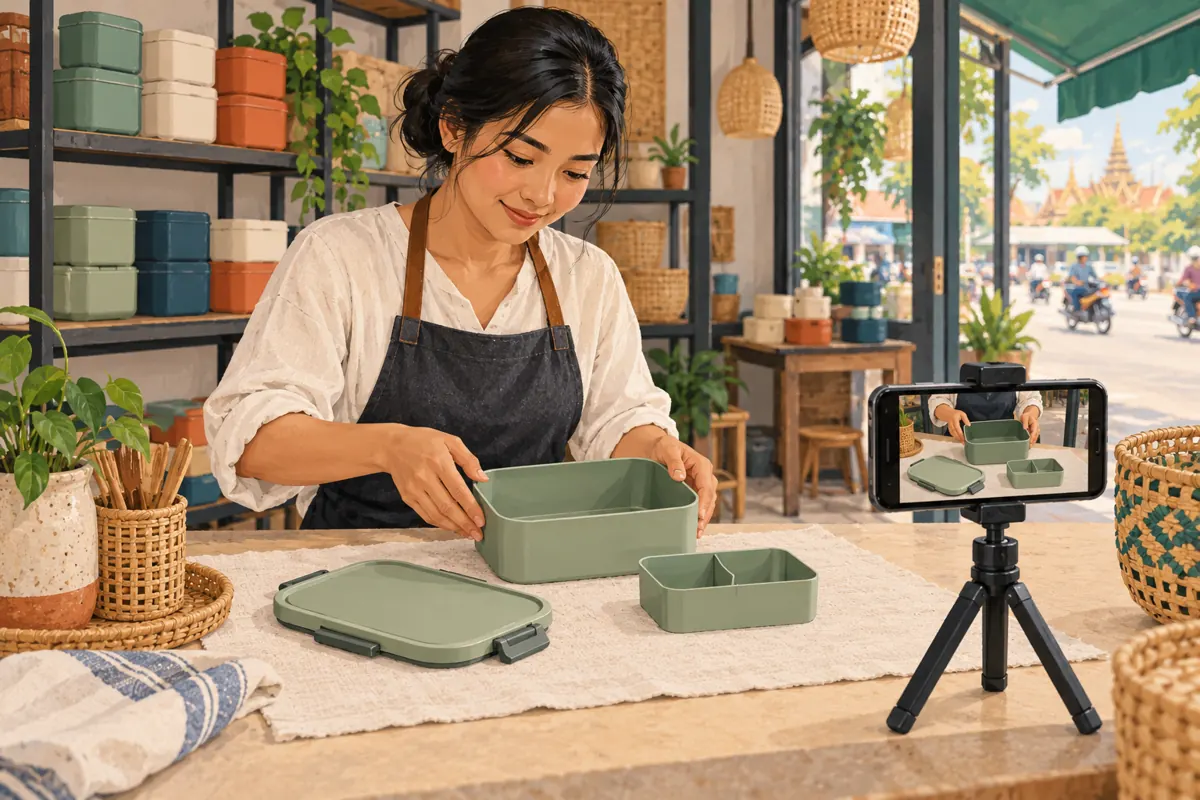
A lunchbox photograph can look attractive while leaving the most important buying question unanswered: what actually comes with it? A spoon, carrying bag and sauce cup may improve the scene, but shoppers can reasonably mistake them for included accessories. For Cambodian homeware businesses promoting products on TikTok, a carefully planned photo sequence can make the offer easier to understand before anyone asks for a price. This workflow follows a hypothetical Phnom Penh lunchbox shop preparing one product post. It connects photography, customer enquiries and SMM-panel decisions without treating engagement counts as evidence that shoppers understand the product or intend to buy.
1. Choose a question that still photographs can answer
Start with one customer uncertainty: whether the advertised set includes the removable divider and spoon. Keep the post focused on that question. Adding every colour, several sizes and a cleaning tutorial creates competing explanations. A useful planning sentence is: after viewing this post, a shopper should be able to name the included parts and identify the model to request.
TikTok describes Photo Mode as a carousel of still images that viewers can swipe through at their own pace. That makes it a reasonable format for inspecting separate components. Use video when the essential question involves movement, such as how a latch closes. This format choice is an editorial judgment, not a prediction of reach. [TikTok’s Photo Mode explanation](https://newsroom.tiktok.com/editing-tools/?lang=en).
2. Establish the exact offer before arranging the scene
Place one saleable set on a clear counter and compare its contents with the shop’s actual offer. In the hypothetical example, the set includes a container, matching lid and removable divider. The spoon and carrying bag are sold separately. These are invented example details, not specifications for any real product. Staff should replace them with verified information about their own stock.
Write a short internal reference containing the model code, included pieces, available variant and any separately priced accessories. If different shipments contain different accessories, resolve that difference before taking photographs. Avoid photographing a sample with extra pieces and expecting a small caption to correct the impression. The person answering enquiries should approve the reference so the public post and the sales conversation describe the same package.
3. Give each photograph a different explanatory job
Plan a compact sequence around the shopper’s decision. Begin with a recognisable view of the complete lunchbox. Follow with the included pieces laid out separately. Next, show the divider installed so its relationship to the container is clear. Use another photograph for a relevant size or fit detail, then finish with the model reference and a straightforward enquiry instruction.
This suggested sequence is a starting point, not a required number of images. Remove any photograph that repeats an earlier answer. Add another only when it resolves a distinct uncertainty, such as whether a separate sauce cup is part of the offer. Avoid delaying the included-parts photograph until the end: a shopper should encounter the central answer early, even if they never finish the sequence.
4. Keep props physically separate from included pieces
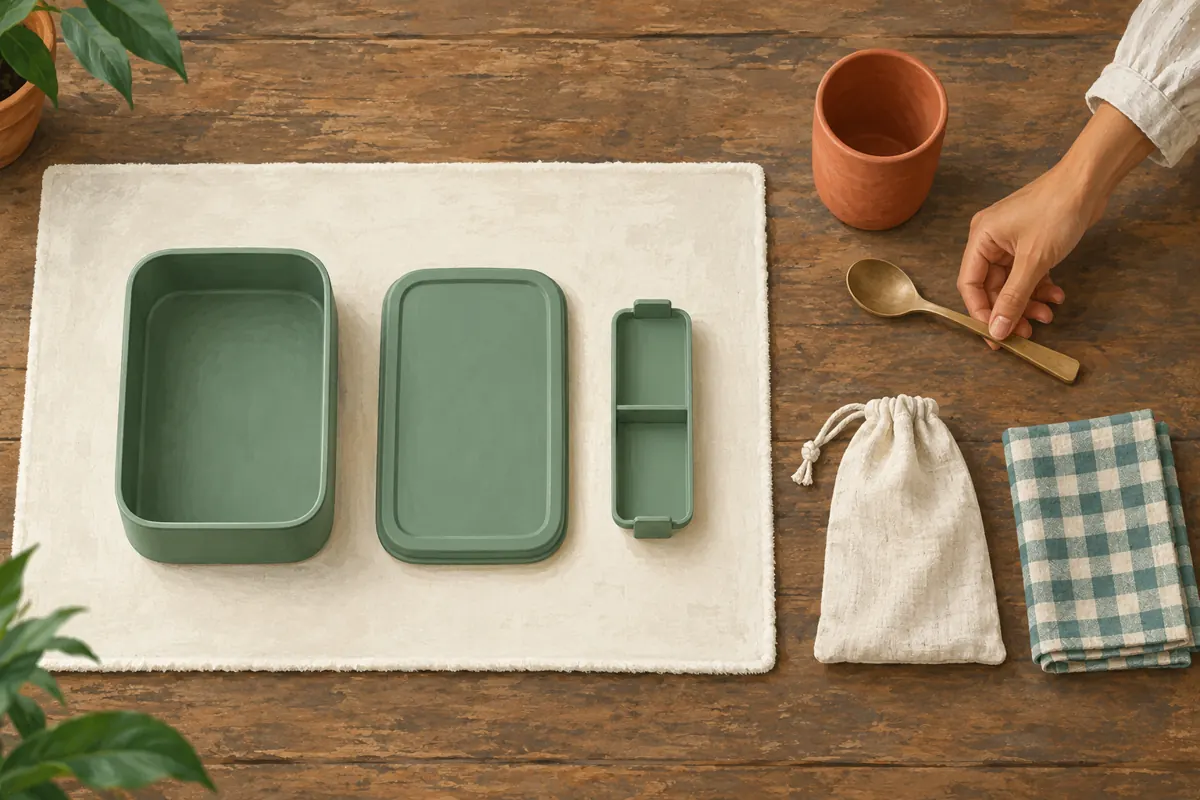
For the contents photograph, remove food, utensils, fabric bags and decorative items unless they are included. Lay the actual pieces on a plain surface with visible gaps between them. Keep the entire edge of each piece in frame. A lid partly hidden beneath the container can make the set harder to count, especially on a small screen.
A later lifestyle photograph can show a possible lunch arrangement, provided its context is explicit. Explain that food and separately sold accessories are styling examples. If an accessory dominates the opening image, reconsider the composition instead of relying entirely on a disclaimer. The article’s illustrations demonstrate planning ideas; a shop’s actual sales post should use accurate photographs of the product customers will receive.
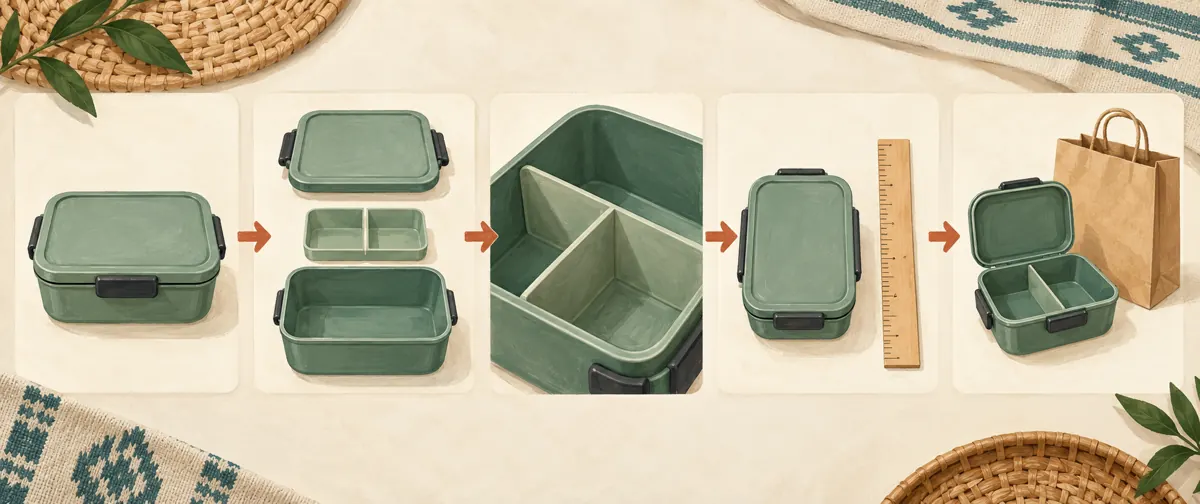
5. Keep model identity consistent across the sequence
Photograph the same physical sample throughout the set. Two green lunchboxes can have different lid shapes, divider layouts or finishes. A hurried switch between samples may create a combination that the shop does not sell. Keep unused variants off the photography table, and check the lid, clips and interior against the internal product reference before approving each photograph.
For Cambodian customers comparing products through messages, a short model code can make the eventual enquiry more precise. Pair it with a readable colour description rather than relying on colour alone. If the shop serves customers who prefer Khmer, prepare customer-facing labels in clear Khmer and retain genuine model codes as needed. Do not shrink several translations into an unreadable block merely to fit them all on one image.
6. Show dimensions without implying unsupported performance
Decide which measurement answers the question. Exterior dimensions help someone assess bag space; interior dimensions answer a different question about usable room. State which one you measured and the unit. Keep the measuring tool aligned with the relevant edge, and avoid camera angles that make the near end appear much larger than the far end.
A photograph of a closed lid does not establish that the container is leakproof. Likewise, showing rice inside does not establish heat resistance or microwave suitability. Use reliable product documentation for material and care claims, and leave uncertain claims out. In the hypothetical shop, an unanswered question about heating should trigger a supplier-information check rather than an improvised caption promising that every component can be heated.
7. Build the photo post and review its actual presentation
Prepare the selected photographs in their intended order before opening TikTok. In the account’s available creation interface, use the photo-post workflow and review the result rather than assuming that selecting several pictures always produces the presentation you intended. Interface details can vary, so check what your app actually offers. If the desired format is unavailable, pause and choose a supported format deliberately.
Inspect the preview from beginning to end. Check whether the product remains visible around interface controls, whether short labels are readable and whether cropping removes a component. Keep the main explanation understandable without sound. Ask a colleague who did not arrange the photographs to identify the included pieces using only the preview. Their uncertainty is a useful editing signal, even when every photograph looks individually attractive.
8. Write a caption that supports a precise enquiry
The caption should name the model, summarise the contents and explain the next step. A hypothetical English draft might say: “Model L-A includes the container, lid and removable divider. Spoon and carrying bag are separate. Send the model code and preferred colour to ask about current availability.” Adapt the wording to the languages your customers actually use, keeping the product meaning consistent.
If you include a price, make its currency and scope explicit. Clarify whether delivery or an optional accessory is charged separately when relevant. Avoid a broad promise such as delivery everywhere unless the shop can support it. For a Cambodian business handling both local pickup and provincial enquiries, asking customers to state their preferred collection or delivery area can help staff give an appropriate answer without requesting a public home address.
9. Apply a separate decision check to SMM-panel services
The supplied catalogue includes the exact public name “TikTok Video Save ~ Max Unlimited ~ 10M/days ~ Instant ~ 𝐍𝐎 𝗥𝗘𝗙𝗜𝗟𝗟”. Its name refers to video saves. The brief supplies no description establishing support for photo posts, accepted link formats or delivery conditions. Treat the remaining wording as catalogue claims, not verified capabilities or a reason to assume that a photo carousel is eligible.
Compatibility is only one consideration. TikTok’s guidelines prohibit trading or marketing services that artificially increase engagement or deceive its recommendation system. Do not use a panel listing to bypass that restriction. Purchased saves would not establish genuine product interest, Cambodian audience origin, sales or official advertising delivery. For this workflow, concentrate promotion effort on accurate content and legitimate distribution rather than buying a signal to make the offer appear popular. [TikTok integrity and authenticity guidelines](https://www.tiktok.com/community-guidelines/en/integrity-authenticity/).
If you maintain panel comparison notes, record the unanswered format question without submitting an order as a test. Do not infer photo-post support from the fact that both formats have shareable links. A sensible review can end with no purchase; the catalogue does not need to supply a service for every editorial task.
10. Use enquiries to find the next missing explanation
After publication, record the substance of genuine questions rather than copying customer identities into a general content sheet. Useful categories include included accessories, divider removal, exterior size and available colours. If people repeatedly ask about the spoon, review where the exclusion appears. It may be absent, difficult to read or contradicted by the opening photograph.
Keep business outcomes separate from platform activity. An enquiry is not a confirmed order, and an order is not necessarily a completed collection. If a customer volunteers that the photo sequence helped, record that as one person’s feedback rather than a broad performance claim. Choose the next post from an unresolved practical question, such as how the divider fits, instead of producing another nearly identical set simply because the first attracted attention.
Frequently asked questions
Should the opening photograph show food inside the lunchbox?
Use food only when it helps explain the intended use without obscuring the offer. An empty product view is often clearer when the main uncertainty concerns included pieces. If you use a styled opening photograph, identify props and show the actual contents immediately afterward. Food quantity should not become an implied capacity measurement.
Can several colours appear in one photo post?
Yes, as an editorial choice, if the post still explains one consistent product configuration. Identify each colour and avoid implying that every pictured variant is currently available. When colours also have different lids, dimensions or accessories, separate posts may make the offer easier to understand. Confirm the requested variant during the enquiry.
What if the shop has only supplier photographs?
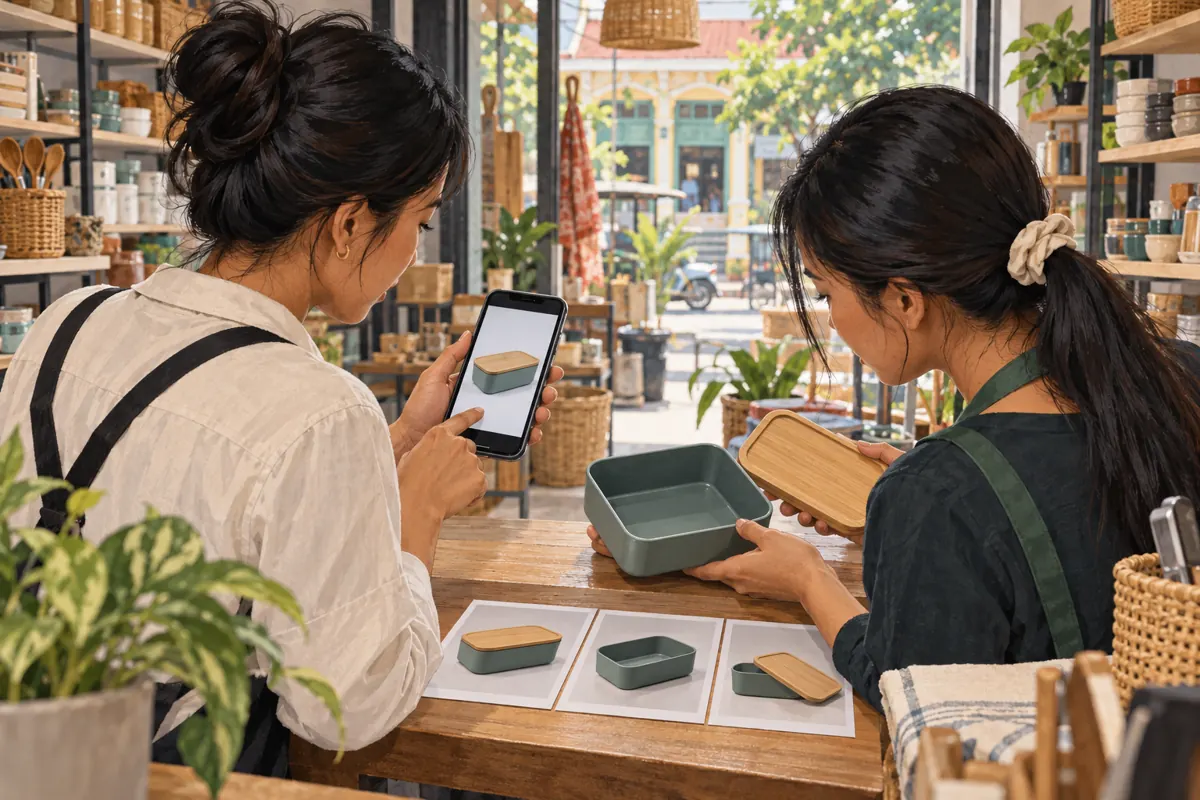
Confirm permission to use them and verify that they match the stock being sold. Check accessories, packaging and model details carefully. Supplier photographs can show an entire range rather than the particular set available locally. If important details cannot be verified, postpone the claim and take accurate photographs of the actual stock when possible.
Should we turn the photos into a video to match a panel listing?
Choose video when motion or narration improves the customer explanation. Converting a useful photo sequence solely to match a listing does not resolve platform-policy concerns or establish meaningful promotion value. It also does not verify the listing’s claims. Keep the content decision anchored to what shoppers need to understand.
How can a small shop assess whether the post is useful?
Start with comprehension: can another person identify the set, included accessories and enquiry reference without help? Then review genuine questions received after posting. Look for specific remaining confusion and revise future content accordingly. Avoid claiming that fewer questions necessarily mean better understanding; fewer people may simply have seen or responded to the post.
Explore the current service catalogue, create an account, or ask a specific question through support tickets.
- TikTok: Inspiring creativity with our new editing tools
- TikTok Community Guidelines: Integrity and Authenticity
Prepared with AI assistance. Illustrations explain the workflow and do not represent customer results.